Modifying Coveo's default MVC search for Sitecore
Modifying Coveo's default MVC search for Sitecore
This post will assume that you have successfully installed Coveo and have it configured with Sitecore. It will go through the out of box MVC solution that Coveo provides and some areas that you might want to look at for your own implementation.
To get Coveo search going, insert a Coveo Search MVC rendering. This is located in the Coveo Search folder of renderings.
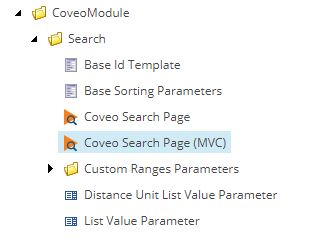
Once you have inserted the rendering, you will be presented with a search solution with a lot of moving parts. Open up the presentation details of the page. Notice the search rendering as well as several other Coveo renderings. We will talk about the search rendering, but I'll leave it up to you to explore the others.
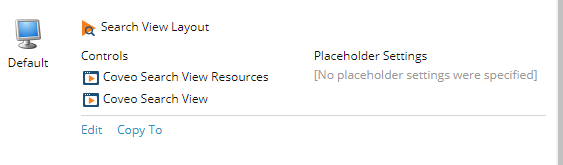
This rendering will have two views attached to it. Located at /Views/Coveo/. SearchBoxView.cshtml and SearchBoxViewResources.cshtml. The resources file has a lot of links to js files. This is where the magic is happening. The main SearchBoxView.cshtml has two main areas to focus on. The first is the configuration section.

This is where you will start to see a lot of references to the model that is tied to rendering parameters. Explore these parameters to see what is available. Word of caution, this works with a rather large js file, I would be real careful about making modifications here.
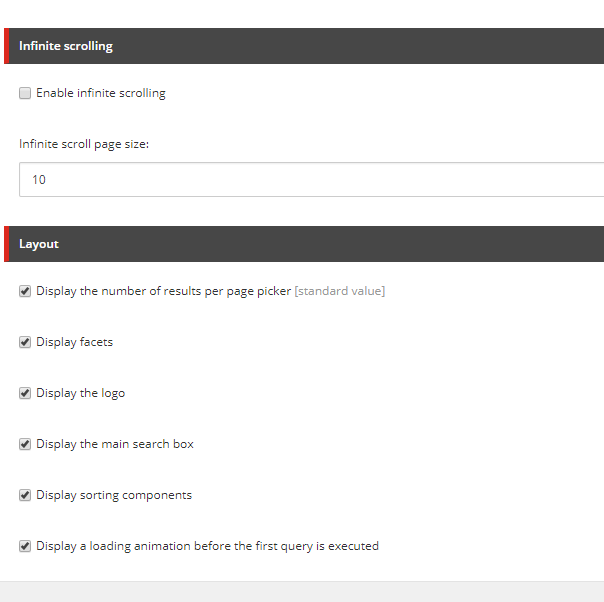
The second area to focus on is the CoveoResultList division. This is where you will find the html that will display the search.
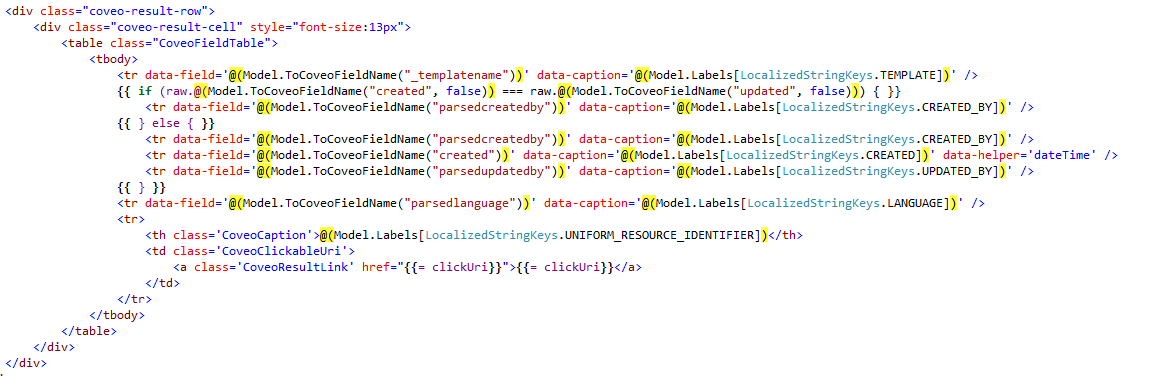
Notice the coveo-result-row div. This is where you can modify your displayed fields. Notice the ToCoveoFieldName method. This will translate your Sitecore field to the corresponding index field from Coveo. If you have indexed fields that you want to add to the display, this is where you would do that.

My recommendation is to really go through the configuration and html modifications before going down a path to build your own solution. There is a lot of stuff working behind the scenes in the JavaScript files that you would have to reproduce. Also, before doing any heavy modification to the rendering views, make copies. You don't want to be stuck needing to reinstall to get these back.